

How to Set Up a Student Shop That Takes Reservations, Not Payments
A walk-through for teachers and students: what to decide before the shop opens, how to price an item, how reservations work, and how a student under 18 gets paid without anyone entering a card. Starting with the safety rules: parents first, and an adult at every pickup and delivery.
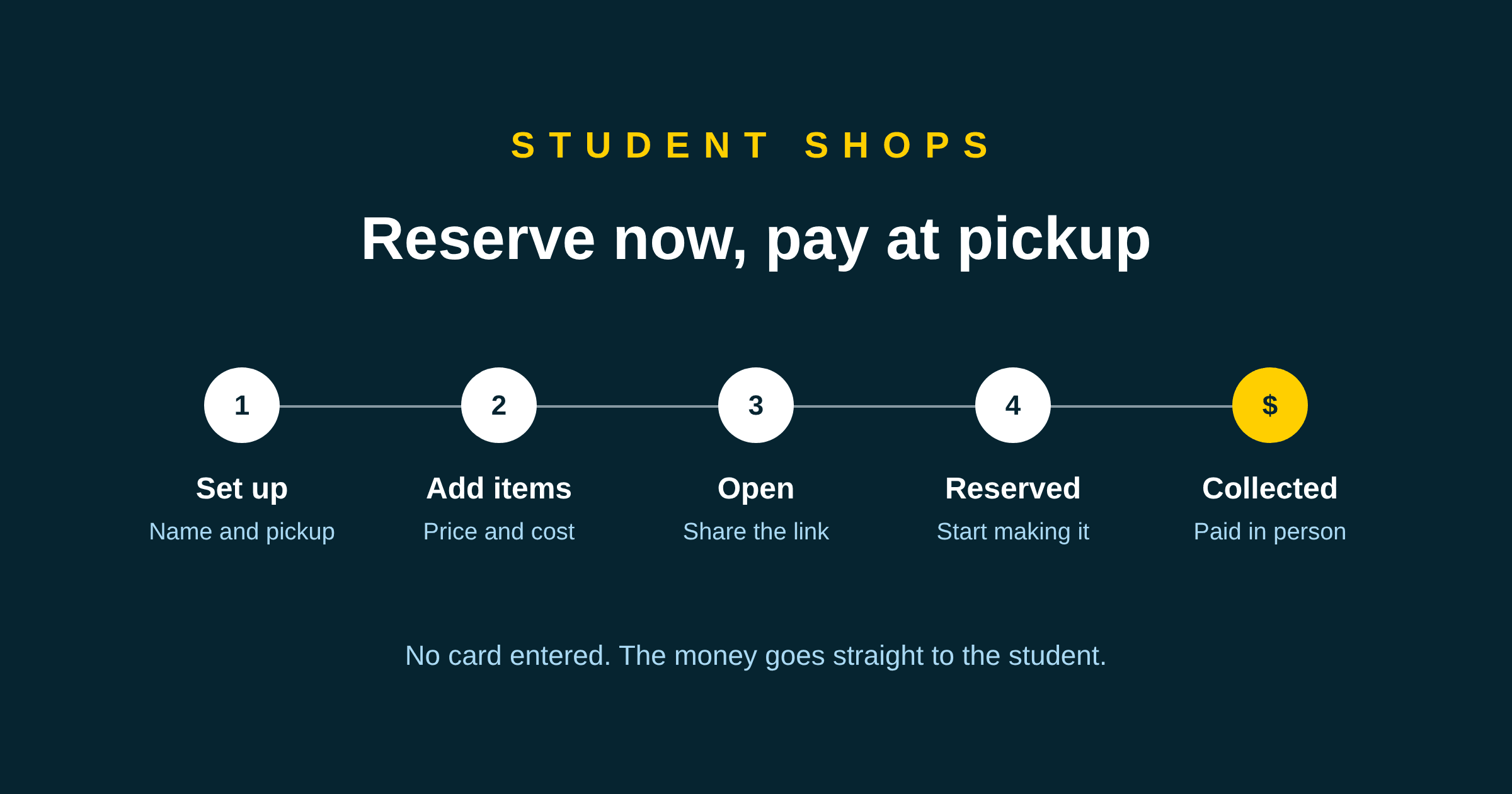
A teacher asked us a simple question this week: how does a student actually set up a shop? This post answers it for both of you. It covers what to decide before the shop opens, how to set it up, what customers see, and what the student does with each order until it is collected and paid.
If you want every button, in order, the shop tutorial has them. This post is the thinking around those buttons.
Safety first
Before anything else, three rules for every student who sells anything. They come before the shop, the prices and the link.
- Talk to your parents or guardians first. Before you open your shop or take an order, go through it with a parent or guardian. Agree together what you are selling, who you are selling to, and where and when people collect.
- Always have an adult with you for pickups. When a customer comes to collect an order, a parent, guardian or another adult you trust stays with you the whole time.
- Never make a delivery on your own. If an order has to be taken to someone, an adult goes with you, every time.
Teachers, it is worth saying these out loud in class and sending them home too.
Why a shop that only takes reservations
Most online shop platforms need the account holder to be an adult. On those, a parent becomes the merchant and the student helps run a business that legally belongs to someone else.
A Hatchable shop works differently. Customers choose what they want and reserve it. They see the total and pay the student in person when they collect it, in cash or by e-transfer, the way a school fair has always worked. No card is entered anywhere, and the money never passes through us. Because there is no payment to process, there is no merchant account to open, and the student can run the shop themselves.
It also teaches something a checkout button hides: a reservation is not a sale. A sale is when the thing changes hands and the money arrives.
Decide three things before the shop opens
Filling in the shop page is quick. The decisions behind it take longer, and they are the part worth the class time.
What you are selling. Start with one or two items, not ten. A small first run tells you more, sooner. Students who have worked through the course already have most of this on their canvas.
What one costs you to make. Add up the materials for a batch and divide by how many it makes. Say beads and string for twenty bracelets cost $24. Each bracelet costs $1.20 in materials. The shop asks for this number separately from the price, and once it has both it tells the student how much they keep on each one. If the price is below the cost, it says so in red.
Where and when people collect. This is the one field students tend to rush, and it is the only way a customer knows how to get what they ordered. "At school" is not enough. "Saturdays at the school gate, 9 to 11" is. Choose it with a parent or guardian, and make sure an adult will be there with you.
Setting it up
The shop lives under My Shop in the student's menu. It starts on Setting up, which means nobody can see it, so there is no rush.
- Fill in the shop's name, a sentence or two about it, and where and when to collect.
- Add each item: a name, a short description, the price, what it costs you, and how many you have. Leave the number empty if there is no limit. It goes down by itself as people reserve.
- Add a photo of each item once it is saved. A photo of the thing, not of the student: anyone with the link can see it.
- Press Preview and look at the shop the way a customer will.
- Switch the shop to Open and copy the link.
Sharing the link
The link is private. Shop pages are not listed anywhere and search engines are told not to index them, so the only people who find a shop are people the student sent it to. Family, neighbours, a parent's colleagues, the families in the class.
Three settings cover most situations:
- Open: anyone with the link can order.
- Closed: the link still works, but orders are off. Good for a weekend when the student cannot keep up.
- Setting up: the shop is hidden completely.
If a link ends up somewhere it should not, the student makes a new one. The old link stops working straight away, and every order already placed is kept.
What the customer sees
A customer chooses what they want, gives their name and email, and can leave a note: an allergy, or when they plan to come. They see the total to pay at pickup. They get a code to check on their order later, and they can cancel it themselves if their plans change.
Running the orders
Each reservation arrives as a new order and moves along in three steps:
- Start making it, when the student begins.
- Mark ready, when it is done and waiting.
- Collected and paid, when the customer has picked it up and paid.
The rule we would give every student is the last one: only press Collected and paid once the money is in your hand. That is what puts the sale into My Money, the page that adds up what came in and what went out. If students only mark real money, the number at the end of the term is one they can stand behind.
And whether the customer comes to you or you take the order to them, an adult is with you every time.
For teachers: fitting it into a unit
The shop sits with Module 7 in the course, after students have worked out their costs and before they pitch in Module 8. A few things work well in class.
Give the shop a date. A class market, a school event or a fixed pickup day gives every student the same deadline and the same collection place. Our fall term unit plan builds a whole term toward one.
Look at the margin, not the revenue. A student who sold 30 items at a loss and one who sold 5 at a profit have both learned something, but only if someone asks them about it. The shop's "you keep" line makes that conversation easy to start.
Count reservations and collections separately. The gap between the two is worth a short discussion: who reserved and did not come, and what the student could do about it next time.
Assess the thinking. We wrote about assessing student business projects last month. The short version is to mark the decisions and the reflection, not the sales figure.
Setting up the class first? The teacher tutorial goes from creating an account to approving your first students. Students can follow the student tutorial for everything else.